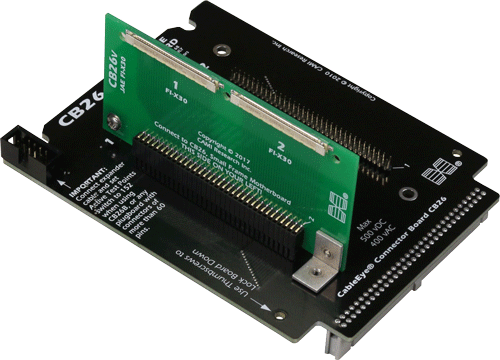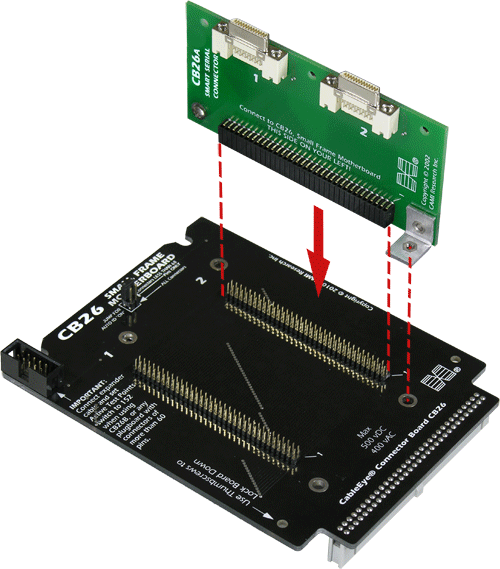
CB26 provides is the base part of our two-board system of mounting connectors available only in right angle format. This board provides two 68-pin 2 mm headers designed to mate with CB26A through CB26V plugboards (sold separately). Up to two plugboards may be attached simultaneously and are held in place with right-angle brackets. Each plugboard supports right angle connectors that cannot be obtained in vertical-mount format.
2 Set of two boards.
CB26A offers two Cisco-style 26-pin Smart Serial connectors.
The connectors may be used independently or together for a two-ended
cable. An aluminum hold-down bracket clamps the small, fragile
Smart Serial connector to the board for extra support when testing
long or stiff cables.
Requires CB26 (Item 756). Sold separately.
Photo shows CB26 (black) with the CB26A (green) plugged into the first slot. The second slot is available for another plugboard.
2 Set of two boards.
Rated for operation up to 500 Vdc/ac.
Can be certified for operation at the maximum rated voltage for a service fee (Item 626).
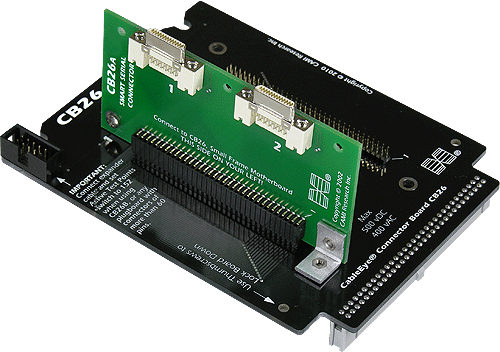
CB26B offers two 0.8mm VHDCI connectors, one of 50 pins and
the other of 68 pins. An expander cable comes with this board
to bring extra test points to the board for the 68-pin connector.
Will not work with M2Z or M2U-Basic (insufficient
test points).
Requires CB26 (Item 756). Sold separately.
Photo shows CB26 (black) with the CB26B (green) plugged into the second slot. The first slot is available for another plugboard. See close-up of connectors below it.
1* Expansion Module Required: One (1) for HVX-series testers. Not compatible with M2Z or M2U-Basic.
2E Set of two boards with expander cable.
Rated for operation up to 500 Vdc/ac.
Can be certified for operation at the maximum rated voltage for a service fee (Item 626).
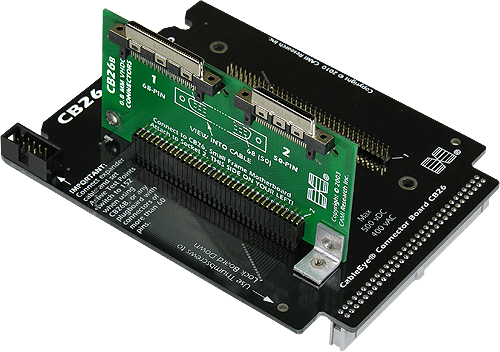

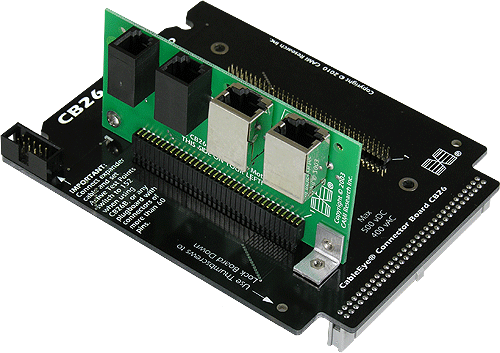
CB26C (shown below) supports four sizes of modular plugs.
The 4-position 4-conductor mates with handset cords, a 6-position
6-conductor (6p6c) jack mates with RJ11 and RJ12 cables, a shielded
8-position 8-conductor (8p8c) jack accepts RJ45 cables, and a shielded
10-position 10-conductor (10p10c) jack accepts RJ48 cables. The connectors
may be used independently or together for a multi-ended cable.
Requires CB26 (Item 756). Sold separately.
Photo shows CB26 (black) with the CB26C (green) plugged into the first slot. The second slot is available for another plugboard.
2 Set of two boards.
Rated for operation up to 500 Vdc/ac.
Can be certified for operation at the maximum rated voltage for a service fee (Item 626).
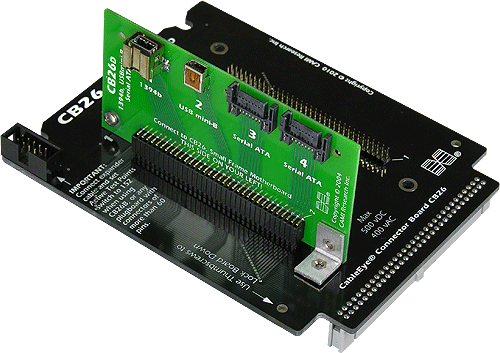
CB26D accepts the Firewire 1394b connector (9 pins plus two
shields), the USB miniB connector (5 pins plus shield), and the
Serial ATA connector (7 conductors). Two Serial ATA connectors
are provided and may be used simultaneously for multi-headed
cables.
Requires CB26 (Item 756). Sold separately.
Photo shows CB26 (black) with the CB26D (green) plugged into the first slot. The second slot is available for another plugboard. See close-up of connectors below it.
2 Set of two boards.
Rated for operation up to 500 Vdc/ac.
Can be certified for operation at the maximum rated voltage for a service fee (Item 626).
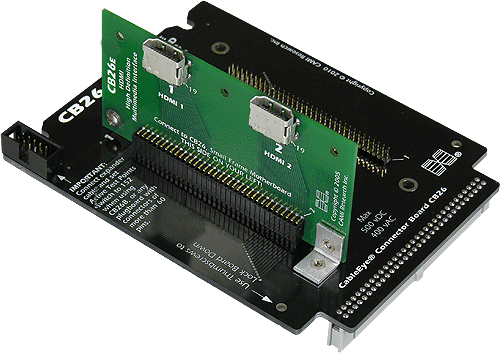
CB26E offers two independent HDMI connectors (19 pins plus shield). These connectors may be used simultaneously for multi-headed cables.
Requires CB26 (Item 756). Sold separately.
Photo shows CB26 (black) with the CB26E (green) plugged into the first slot. The second slot is available for another plugboard. See close-up of connectors below it.
2 Set of two boards.
Rated for operation up to 500 Vdc/ac.
Can be certified for operation at the maximum rated voltage for a service fee (Item 626).

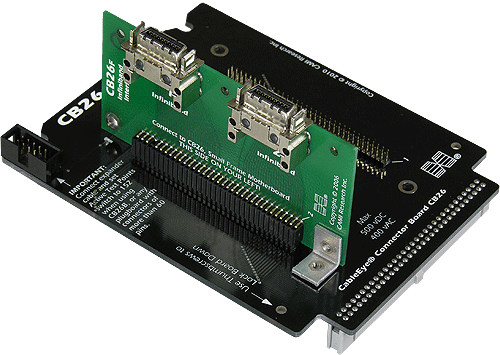
CB26F accepts the InfiniBand connector (25 pins plus shield). Two independent connectors are provided and may be used simultaneously for multi-headed cables.
Requires CB26 (Item 756). Sold separately.
Photo shows CB26 (black) with the CB26F (green) plugged into the first slot. The second slot is available for another plugboard. See close-up of connectors below it.
2 Set of two boards.
Rated for operation up to 500 Vdc/ac.
Can be certified for operation at the maximum rated voltage for a service fee (Item 626).
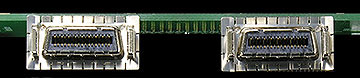
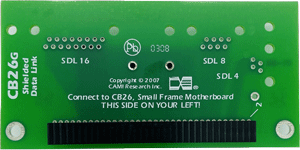
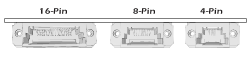
CB26G accepts the 4-, 8-, and 16-pin Shielded Data Link™ connectors used in data, communications, and medical applications.
Requires CB26 (Item 756). Sold separately.
Connectors Not Included: Solder Service1 available.
2 Set of two boards.
1 SOLDER SERVICE: We mount connectors that you supply. Test is only possible, and included, if you are able to supply us with test cables. Test cables will be returned. When ordering connectors, choose post length suitable for 0.093” thick PCB - the thickness of all CAMI CB boards. Contact us for pricing.
Rated for operation up to 500 Vdc/ac.
Can be certified for operation at the maximum rated voltage for a service fee (Item 626).
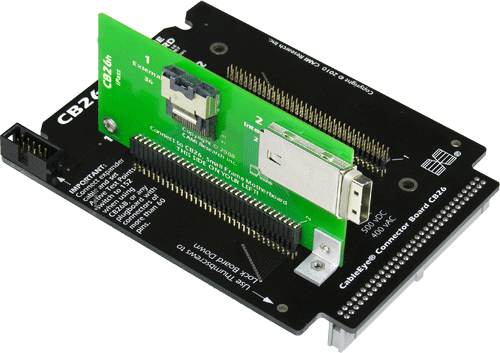
CB26H accepts the 36-pin external and 26-pin internal iPass connectors. The internal connectors mounts along the short edge of the board. Connectors not included! Customer-provided connectors installed without charge.
Requires CB26 (Item 756). Sold separately.
Photo shows CB26 (black) with the CB26H (green) plugged into the first slot. The second slot is available for another plugboard. See close-up of connectors below it.
2 Set of two boards.
Rated for operation up to 500 Vdc/ac.
Can be certified for operation at the maximum rated voltage for a service fee (Item 626).

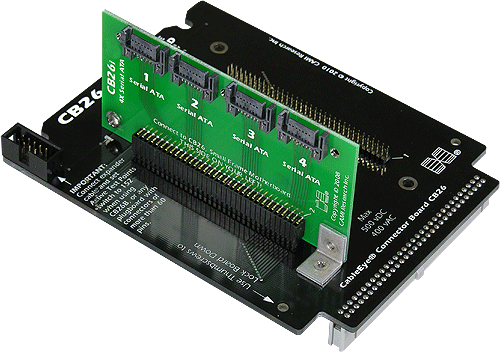
CB26i accepts four independent SATA connectors. All four connectors may be simultaneously connected for dual or quad cables.
Requires CB26 (Item 756). Sold separately..
Photo shows CB26 (black) with the CB26F (green) plugged into the first slot. The second slot is available for another plugboard. See close-up of connectors below it.
2 Set of two boards.
Rated for operation up to 500 Vdc/ac.
Can be certified for operation at the maximum rated voltage for a service fee (Item 626).

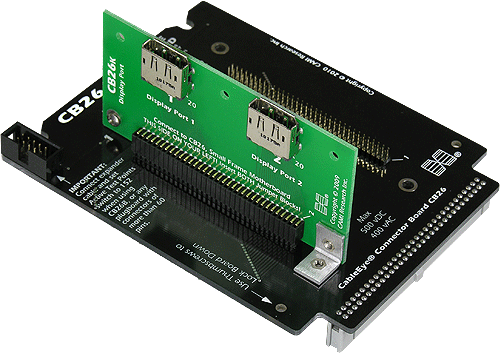
CB26K accepts two Displayport connectors. Connectors not included! Customer-provided connectors installed without charge.
Requires CB26 (Item 756). Sold separately.
Photo shows CB26 (black) with the CB26K (green) plugged into the first slot. The second slot is available for another plugboard. See close-up of connectors below it.
2 Set of two boards.
Rated for operation up to 500 Vdc/ac.
Can be certified for operation at the maximum rated voltage for a service fee (Item 626).

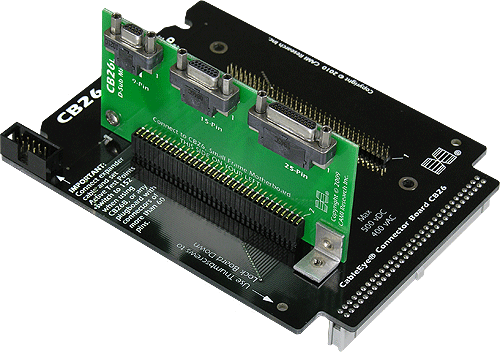
CB26L accepts 9-, 15-, and 25-pin MicroD Female connectors. See CB41-44 for the full range of Micro D sizes and genders.
Requires CB26 (Item 756). Sold separately.
Photo shows CB26 (black) with the CB26L (green) plugged into the first slot. The second slot is available for another plugboard. See close-up of connectors below it.
2 Set of two boards.
Rated for operation up to 500 Vdc/ac.
Can be certified for operation at the maximum rated voltage for a service fee (Item 626).

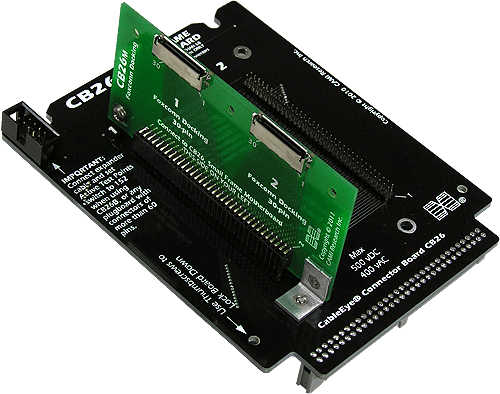
CB26M accepts two 30-pin Foxconn Docking Connectors.
Requires CB26 (Item 756). Sold separately..
Photo shows CB26 (black) with the CB26M (green) plugged into the first slot. The second slot is available for another plugboard. See close-up of connectors below it.
Connectors Not Included: Solder Service1 available.
2 Set of two boards.
1 SOLDER SERVICE: We mount connectors that you supply. Test is only possible, and included, if you are able to supply us with test cables. Test cables will be returned. When ordering connectors, choose post length suitable for 0.093” thick PCB - the thickness of all CAMI CB boards. Contact us for pricing.
Rated for operation up to 500 Vdc/ac.
Can be certified for operation at the maximum rated voltage for a service fee (Item 626).

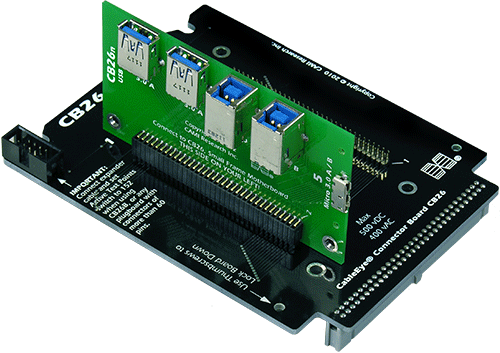
CB26N accepts USB 3.0 Types A, B, and Micro A/B connectors. The Micro A/B connector accepts both USB 2.0 Micro A and Micro B connectors.
Requires CB26 (Item 756). Sold separately..
Photo shows CB26 (black) with the CB26N (green) plugged into the first slot. The second slot is available for another plugboard. See close-up of connectors below it.
2 Set of two boards.
Rated for operation up to 500 Vdc/ac.
Can be certified for operation at the maximum rated voltage for a service fee (Item 626).


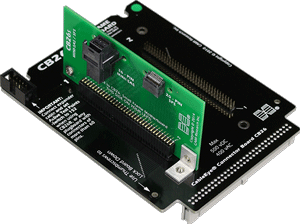
CB26S for mini-SAS (Serial Attached SCSI) accepts 36-pin connectors, and the SFS 20-pin connectors, used in high-speed peripheral and server applications.
Requires CB26 (Item 756). Sold separately.
Photo shows CB26 (black) with the CB26S (green) plugged into the first slot. The second slot is available for another plugboard.
2 Set of two boards.
Rated for operation up to 500 Vdc/ac.
Can be certified for operation at the maximum rated voltage for a service fee (Item 626).
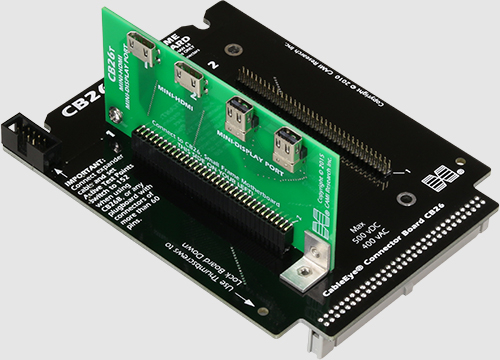
CB26T accepts 2 Mini HDMI and 2 Mini Display-Port connectors.
Requires CB26 (Item 756). Sold separately..
Photo shows CB26 (black) with the CB26T (green) plugged into the first slot. The second slot is available for another plugboard. See close-up of connectors below it.
2 Set of two boards.
IDRequires software release Build 1245 or later to enable Auto ID.
Rated for operation up to 500 Vdc/ac.
Can be certified for operation at the maximum rated voltage for a service fee (Item 626).

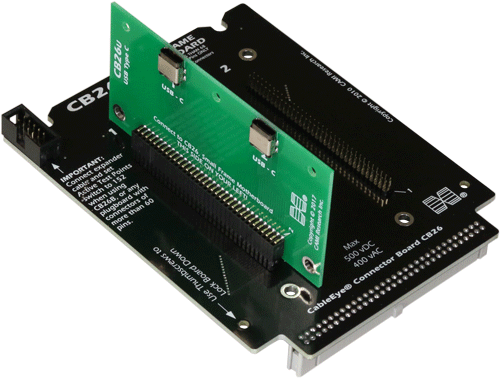
CB26U accepts 2 USB C-Type Connectors that can be use simultaneously.
Requires CB26 (Item 756). Sold separately.
Photo shows CB26 (black) with the CB26U (green) plugged into the first slot. The second slot is available for another plugboard. See close-up of connectors below it.
2 Set of two boards.
IDRequires software release Build 1506 or later to enable Auto ID.
Rated for operation up to 500 Vdc/ac.
Can be certified for operation at the maximum rated voltage for a service fee (Item 626).

CB26V accepts 2 FI-X 30-pin connectors that can be use simultaneously.
Requires CB26 (Item 756). Sold separately.
Photo shows CB26 (black) with the CB26V (green) plugged into the first slot. The second slot is available for another plugboard. See close-up of connectors below it.
2 Set of two boards.
IDRequires software release Build 1506 or later to enable Auto ID.
Rated for operation up to 500 Vdc/ac.
Can be certified for operation at the maximum rated voltage for a service fee (Item 626).